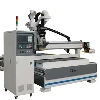
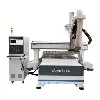
In the realm of modern manufacturing and woodworking, the Computer Numerical Control (CNC) router has emerged as a game-changer, blending advanced technology with traditional craftsmanship. This versatile machine has transformed the way we approach tasks ranging from intricate carving to large-scale material cutting, offering unparalleled precision, efficiency, and versatility. Whether you're a seasoned professional or a hobbyist venturing into the world of digital fabrication, understanding the intricacies of a CNC router can open up a world of possibilities. This comprehensive guide aims to demystify the technology behind CNC routers, explore their diverse applications, and provide practical insights for both new and experienced users.
Chapter1 What is a CNC Router?
At its core, a CNC router is an automated tool that employs computer software to guide the movement of a routing bit along predefined paths. These paths are generated through CAD (Computer-Aided Design) software and then translated into machine-readable instructions via CAM (Computer-Aided Manufacturing) software. The router itself is equipped with motors that drive its cutting tool along X, Y, and often Z axes, enabling it to carve, mill, or cut through various materials with remarkable accuracy.
The key components of a typical CNC router include:
●Frame: Provides the structural support for the machine.
●Spindle/Router Motor: Drives the cutting bit.
●Controllers: Manage the movement of the spindle based on input from the computer.
●Worktable: Holds the material being worked on.
●Software: Facilitates the design and translation of designs into cutting paths.
Types of CNC Routers
CNC routers come in various sizes, configurations, and capabilities, catering to diverse needs across industries. Here are some common types:
●Desktop CNC Routers: Ideal for small-scale projects and hobbyists, these compact machines often have a limited working area but are highly affordable and easy to set up.
●Benchtop CNC Routers: Larger than desktop models, benchtop routers offer more cutting power and workspace, making them suitable for semi-professional use.
●Industrial CNC Routers: Designed for heavy-duty applications, these large-scale machines can handle extensive material cutting and complex tasks with high precision and efficiency.
●3D CNC Routers: Equipped with advanced software and multi-axis control, these routers enable intricate 3D carving and milling, ideal for creating sculptures, molds, and prototypes.
●Gantry-Style CNC Routers: Characterized by their overhead gantry design, these routers provide stability and accuracy, making them suitable for large-format cutting and materials like metal and stone.
The versatility of CNC routers extends across multiple industries and applications. Here are some notable areas where they excel:
Woodworking: From furniture making to architectural millwork, CNC routers enable the creation of complex designs and intricate details with consistency and precision.
Sign Making: The ability to cut a wide range of materials, including acrylics, metals, and vinyl, makes CNC routers indispensable in the signage industry.
Prototyping and Modeling: In the design and engineering world, CNC routers facilitate rapid prototyping, allowing designers to bring their ideas to life quickly and accurately.


Art and Sculpture: Artists leverage the precision and versatility of CNC routers to create intricate sculptures, reliefs, and other artistic pieces from various materials.
Aerospace and Automotive: In these high-precision industries, CNC routers are used for cutting and machining components from metals and composites.
Jewelry Making: CNC technology allows jewelers to create intricate designs and personalize pieces with a high degree of accuracy.
Chapter 3 Materials You Can Cut with a CNC Router
One of the most appealing aspects of CNC routers is their ability to work with a diverse range of materials. Here are some common materials and considerations for cutting them:
Wood
The most popular material for CNC routing. Different species have varying densities and hardness, affecting cutting speed and bit wear.
Plastics
Materials like acrylic, polyethylene, and PVC can be cut with precision, though they may require specific bits and cutting strategies to avoid melting or chipping.
Metals
Soft metals like aluminum, brass, and copper can be machined with the right tools and setups. Harder metals typically require more robust industrial-grade machines.
Composites
Materials like fiberglass and carbon fiber present unique challenges due to their hardness and tendency to delaminate. Specialty bits and techniques are often required.
Foams and Insulation Materials
Easy to cut, these materials are often used in prototyping and model making.
Non-Ferrous Metals and Alloys
Some CNC routers are equipped to handle materials like titanium and stainless steel, but this usually requires significant machine capabilities and expertise.
Chapter 4 Choosing the Right CNC Router
Selecting the perfect CNC router for your needs involves considering several factors, including workspace size, material compatibility, budget, and intended use. Here are some key considerations:
Workspace Dimensions
Ensure the machine's cutting area aligns with your largest project dimensions, allowing for some margin for fixture setup and material handling.
Precision and Accuracy
Depending on your application, you may require sub-millimeter accuracy. Industrial-grade machines often offer higher precision than hobbyist models.
Power and Speed
The spindle's power (horsepower or wattage) and RPM range determine the machine's cutting capacity and speed. More powerful spindles can handle harder materials and thicker cuts.
Software Compatibility
Choose a machine that is compatible with your preferred CAD/CAM software or one that offers robust bundled software solutions.
Budget
CNC routers can range from a few hundred dollars for desktop models to tens of thousands for industrial setups. Establish a budget that balances cost with your needs.
Support and Community
Look for manufacturers with strong customer support and an active user community, which can be invaluable for troubleshooting and learning.
Chapter 5 Setting Up Your CNC Router
Once you've acquired your CNC router, setting it up correctly is crucial for optimal performance and safety. Here are some essential steps:
Assembly
Follow the manufacturer's instructions meticulously for assembling the machine. Ensure all parts are securely fastened and aligned.
Software Installation and Configuration
Install the necessary software and configure it according to your machine's specifications. This includes setting up the machine profile, tool library, and post-processor settings.
Worktable Preparation
Ensure your worktable is flat and clean. Use clamps or vices to securely fasten your material, preventing it from shifting during operation.
Tool Selection and Installation
Choose the appropriate bit for your project and install it in the spindle, ensuring it is securely tightened.
Safety Measures
Wear appropriate safety gear, including safety glasses, ear protection, and a dust mask. Ensure the machine is grounded and has emergency stop buttons within reach.
Initial Testing
Run a test cut on scrap material to fine-tune your settings, ensuring the machine is functioning correctly and your designs are translating accurately.

Designing for CNC Routing
Creating designs that translate well to a CNC router involves understanding the machine's capabilities and limitations. Here are some design tips:
Geometry and Detail
Use clean, simple geometry to minimize errors and improve cutting efficiency. Avoid overly intricate details that might be challenging to cut accurately.
Tool Paths
Optimize tool paths to reduce cutting time and material waste. Consider using pocketing, profiling, and drilling operations efficiently.
Material Thickness
Design with your material's thickness in mind, ensuring that all features (such as pockets and slots) are within the machine's Z-axis travel limits.
Fixture Considerations
Incorporate fixture tabs or registration holes in your design to facilitate accurate positioning and clamping of your material.
Tool Clearance and Bit Diameter
Design with an awareness of tool clearance needs and bit diameters, ensuring that there is sufficient space for the bit to move freely without colliding with the material or fixture.
Chapter 6 Maintaining Your CNC Router
Understanding the Importance of Maintenance
CNC routers rely on complex mechanical, electrical, and software components working in harmony. Regular maintenance minimizes downtime, prevents costly repairs, and ensures safety during operation. Neglecting maintenance can lead to inaccuracies, wear on components, and even machine failure.
Daily Maintenance Tasks
● Clean the Work Area
Remove debris: Clear sawdust, metal shavings, or other materials from the machine after each use. Accumulated debris can obstruct the movement of the spindle, gantry, and other components.
Inspect the table: Ensure the worktable is clean and free of leftover material to maintain precise workpiece alignment.
● Lubricate Moving Parts
Apply the appropriate lubricant to linear bearings, ball screws, and other moving components daily or as recommended by the manufacturer. This reduces friction and prevents wear. Use high-quality lubricants compatible with your machine to avoid residue buildup.
● Check Tool Holders and Bits
Inspect collets and tool holders for wear and replace them if necessary. Ensure that router bits are sharp and properly seated to prevent chatter marks and uneven cuts.
Weekly Maintenance Checklist
● Tighten Screws and Bolts
Vibrations during operation can loosen screws and bolts. Check and tighten all fasteners, especially on the gantry, spindle mount, and tool holder.
● Inspect Belt and Chain Tension
For routers using belts or chains, verify that they are neither too loose nor too tight. Adjust tension according to the manufacturer's specifications to maintain accurate movement.
● Check Cooling Systems
If your router uses a water-cooled spindle, inspect coolant levels and top them up as needed. Ensure the coolant is clean and free of debris. Clean the cooling fans or filters on air-cooled systems to prevent overheating.
● Inspect Cables and Connections
Look for frayed or damaged cables, especially around moving parts.Ensure all electrical connections are secure to prevent intermittent power issues.
Monthly Maintenance Tips
● Align and Calibrate the Machine
Check the squareness of the gantry and the alignment of the spindle. Misalignment can lead to uneven cuts and increased wear on components.Use calibration tools to verify the accuracy of your machine's movements. Adjust as needed.
● Test Limit Switches and Sensors
Verify that all limit switches and proximity sensors are functioning correctly. Faulty switches can cause the router to crash or misalign.
● Inspect Vacuum and Dust Collection Systems
Clean or replace filters in the dust collection system to ensure efficient debris removal. Check for clogs in the vacuum system that could affect material hold-down during operation.
Annual Maintenance Recommendations
● Replace Wearable Parts
Components like bearings, belts, and tool holders wear out over time. Replace these parts annually or as needed to maintain performance.
● Deep Clean the Machine
Conduct a thorough cleaning of all components, including the gantry, guide rails, and spindle housing. Use non-corrosive cleaning agents to avoid damage.
● Inspect the Drive System
For ball screws, check for backlash and adjust preload if necessary.Inspect rack-and-pinion drives for wear and replace them if they show signs of deterioration.
Common Maintenance Challenges and Solutions
●Challenge: Excessive Vibration
Cause: Loose components, worn bearings, or imbalanced tools.
Solution: Tighten screws and bolts, replace bearings, and ensure tools are properly seated.
●Challenge: Inaccurate Cuts
Cause: Misalignment or backlash in the drive system.
Solution: Calibrate the machine and adjust drive components.
●Challenge: Overheating
Cause: Clogged cooling fans, low coolant levels, or overworked components.
Solution: Clean fans, replenish coolant, and ensure proper duty cycles.
Tips for Preventive Maintenance
●Follow the manufacturer's guidelines: Each CNC router has specific maintenance requirements outlined in its user manual. Adhering to these recommendations ensures optimal performance.
●Train operators: Ensure all operators understand basic maintenance procedures to prevent misuse and neglect.
●Document maintenance activities: Keep a log of all maintenance tasks, including the date, performed actions, and any replaced parts. This helps track wear patterns and plan future maintenance.
Leveraging Technology for Maintenance
Modern CNC routers often come with built-in diagnostic tools that monitor performance and alert users to potential issues. Utilize these features to simplify maintenance:
●Software updates: Keep your machine's control software updated to access the latest features and bug fixes.
●Remote monitoring: Some routers support IoT connectivity, enabling remote diagnostics and predictive maintenance.