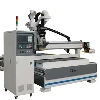
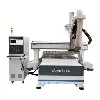
In modern manufacturing, CNC (computer numerical control) technology has become an important tool for improving production efficiency, improving processing accuracy and ensuring processing consistency. For the operation and programming of CNC engraving machines, especially in the process of realizing automated production, accurate program writing is crucial. This article will discuss in detail how to write efficient automated production programs for CNC engraving machines from the perspectives of part design requirements, programming tool selection, application of automated programming technology, cutting parameter setting, program simulation, program verification and continuous optimization.

The first step in writing CNC engraving machine programs is to deeply understand the design requirements of the parts. This link directly determines the accuracy and production efficiency of the subsequent processing process. Understanding the key elements of the design drawings, including the geometry, size, tolerance, material properties, surface treatment requirements, etc. of the parts, is basic and necessary for programmers. Design drawings often contain detailed information on dimensions, hole positions, processing sequences, and surface finish. Programmers need to analyze this information to ensure that the processing process does not deviate from the design intent.
Choosing the right CAD/CAM (computer-aided design/computer-aided manufacturing) software is an important step in programming CNC engraving machines. The right software can not only help programmers improve programming efficiency, but also optimize processing paths and reduce production time. Commonly used CAD/CAM software includes SolidWorks, Fusion 360, and hyperMILL. These software can automatically convert part designs into instructions that CNC machine tools can understand, reducing manual intervention and the possibility of errors. For example, hyperMILL provides powerful automated programming functions that can automatically identify processing features such as holes, slots, and shapes, and automatically generate tool paths based on material characteristics and tool selection. The use of automated programming software can reduce programming time and improve production efficiency.

Apply automated programming technology
Modern CAD/CAM systems usually integrate automated programming functions. By using these functions, programmers can automatically identify the processing features of parts and automatically generate suitable processing paths. For example, the system can automatically analyze the shape of the part, select the appropriate tool, and optimize the feed rate and cutting depth. This automated programming technology can significantly reduce the time and cost of manual programming, reduce human errors, and improve machining accuracy. In the production of some parts with high precision requirements, automated programming has become a standard operating procedure. In addition, automated programming technology can also automatically optimize the tool path according to the parameters of the machine tool to maximize machining efficiency.
Set cutting parameters and machining sequence
Cutting parameters include tool speed, feed rate, cutting depth, etc. The selection of these parameters will directly affect the machining effect, tool life and production efficiency. For example, the machining of hard materials such as titanium alloys usually requires lower feed rates and higher speeds to avoid premature wear or damage to the tool. For soft materials such as aluminum alloys, higher feed rates and lower speeds are usually more appropriate.
In addition, the reasonable arrangement of the machining sequence is also very important. The machining sequence should be from outside to inside, from large to small, from rough machining to fine machining. A reasonable machining sequence helps to reduce workpiece deformation and improve machining accuracy. For the machining of complex parts, programmers need to arrange each process reasonably according to the geometry of the parts and the machining requirements to ensure the smooth progress of the machining process.

Simulate And Verify The Program


Simulation and verification of the program are important steps to ensure the accuracy and safety of CNC engraving machine processing. By using simulation software, programmers can detect potential problems in the program in advance, such as collision of tool paths, errors in processing sequence, etc. Simulation can simulate the entire processing process, verify whether the tool can run smoothly according to the predetermined path, and check whether there are interference and collision problems.
In addition, simulation can also help programmers optimize tool paths, reduce idle time, and improve processing efficiency. Many modern CAD/CAM software provide integrated simulation modules that can perform comprehensive verification before the program is officially put into production, avoiding the omissions that may occur in traditional manual inspection.
After importing the verified program into the CNC machine tool, trial processing is a key step to ensure the effectiveness of the program. The purpose of trial processing is to confirm whether the size, shape, surface quality, etc. of the part meet the design requirements. During the trial processing process, programmers need to measure the processed parts and compare them with the design drawings to ensure the processing accuracy. If deviations are found, programmers need to adjust the program in time, correct the tool path or cutting parameters to ensure the final product quality.
Continuous optimization and update
Automated production is not a static process. In the production process, as data accumulates and experience continues to grow, programmers can optimize and update existing programs. For example, by analyzing processing data, programmers can find bottlenecks in certain links, and then optimize tool paths, adjust cutting parameters or improve processing sequences, thereby further improving production efficiency and part quality.
For example, high-end CAD/CAM software such as hyperMILL can automatically record data during the processing, analyze processing effects, and optimize processing strategies based on feedback. This continuous optimization process helps to improve the efficiency of the overall production line, reduce energy consumption, and extend the service life of equipment and tools.